
Natural Language Querying in CMMS: Check Your Backlog
Query CMMS work orders with natural language. Define backlog, overdue dates and missing estimates, then verify a runnable example before connecting real data.

Natural language querying in a CMMS lets maintenance teams ask questions about work orders, assets and schedules in everyday language. A useful answer identifies the records and reporting rules behind it: which site, which statuses, what snapshot and what “overdue” means. A plausible total without those details is difficult to act on.
A computerized maintenance management system (CMMS) may provide its own AI reporting interface. Another route is to prepare approved maintenance data in a supported reporting database and query it with a connected assistant. This guide explains when to use each route, then works through a backlog example that separates overdue orders, missing dates and missing effort estimates.
AskYourDatabase publishes this guide and offers the connected database workflow described below. Product and vendor documentation were checked on October 26, 2026. The sample records are invented; this is not a customer case study, a CMMS integration test or an AI accuracy benchmark.
Choose a reporting route for the maintenance task
Start with your CMMS’s existing reporting when it already exposes the fields, permissions and workflow you need. A separate reporting database becomes useful when your team has an approved extraction process and needs its own definitions or analysis across prepared datasets. It also creates work: someone must maintain synchronization, schema changes and access boundaries.
| Task | Starting point | Evidence to check |
|---|---|---|
| Ask about work orders already managed in one CMMS | Native reporting or its AI assistant | Included records, permissions, report filters and supported functions |
| Reconcile a custom backlog definition on prepared maintenance data | SQL reporting database and connected assistant | Snapshot freshness, status mapping, row grain and known-answer checks |
| Find a repair instruction in a manual | Document retrieval with source references | Correct asset model, manual revision and relevant passage |
| Reassign, close or create work orders | Authorized CMMS operational workflow | Actual write action, permission and review requirements |
| Calculate equipment downtime or reliability metrics | Approved event data and metric definitions | Downtime intervals, overlaps, operating exposure and failure definitions |
These are different jobs. A tool that retrieves a manual may not calculate an overdue backlog; a reporting assistant does not automatically have the operational controls of your CMMS.
Current vendor documentation supports this distinction. MaintainX Report Builder AI describes generating and refining reports from prompts, with availability and functional limitations to check. UpKeep Nova documents work-order analysis as well as action modes that can change records. Verify the mode and permissions before use. Neither source establishes a universal feature set for every CMMS or a performance comparison with AskYourDatabase.
For the broader technique, read our natural language database query guide. The ERP reporting guide covers invoice and payment reconciliation; maintenance backlog has different units and status rules.
Define the question before generating SQL
“Which assets have the worst backlog?” is incomplete. It might mean the most orders, the oldest order, the largest estimated effort or the most overdue critical work. Those rankings can disagree. Ask for the separate measurements before combining them into a score.
Use this bounded question for the example:
Using the October 26, 2026 snapshot for North, group eligible work orders by asset. Include open, in-progress and waiting-for-parts orders created on or before that date. Show backlog count, orders with due dates before October 26, missing due dates, orders at least 14 days old, the sum of known estimated hours and the count of missing estimates. Exclude completed and cancelled orders.
The reporting owner should approve these rules:
- One row means one work order. A parts line or technician time entry is not another work order. Include organization and site in keys where identifiers are reused.
- Status is the snapshot status. Waiting for parts is included here; your organization may report it separately. Unknown status codes need review rather than silent exclusion.
- Dates are site-local calendar dates. Convert source timestamps using the approved business timezone before deriving those dates. The example does not model shift calendars or timestamp conversion.
- Due today is not overdue. The strict comparison is intentional. Missing due dates remain unknown and get their own count.
- Age starts at creation. It is calendar age, not elapsed labor, equipment downtime or time since reopening.
- Hours are estimates. Sum known estimates and disclose missing ones. They are not actual labor, a staffing forecast or a complete estimate when values are missing.
Download the blank CMMS reporting contract to record these choices, data ownership and actual evaluation results. Do not fill in successful outcomes until you have run the checks in your own approved environment.
Worked example: six backlog orders, three overdue
The reference uses ten synthetic work orders in one fixed snapshot. Two assets belong to North. A South order, a future-created record, a completed order and a cancelled order test the population boundary. Two eligible work orders lack estimated hours; one lacks a due date.
The standalone SQL reference file runs in SQLite without creating tables or changing stored records. It is a portable learning artifact, not a claim that SQLite is an AskYourDatabase connector. Adapt the inline values, date arithmetic and types to your supported reporting engine before using the logic there. SQLite documents its common table expressions and date functions.
-- Synthetic CMMS snapshot. SQLite reference, no stored data is changed.
-- Dates are site-local calendar dates, not timestamps. Snapshot: 2026-10-26.
WITH work_orders(id,site,asset,status,created_on,due_on,estimated_hours) AS (
  VALUES
    (101,'North','Pump A','open','2026-10-01','2026-10-20',2.0),
    (102,'North','Pump A','in_progress','2026-10-10','2026-10-26',3.0),
    (103,'North','Fan B','waiting_parts','2026-10-15',NULL,NULL),
    (104,'North','Fan B','completed','2026-10-02','2026-10-10',4.0),
    (105,'North','Pump A','cancelled','2026-10-03','2026-10-15',1.0),
    (106,'South','Pump C','open','2026-10-01','2026-10-10',8.0),
    (107,'North','Fan B','open','2026-10-27','2026-10-28',2.0),
    (108,'North','Pump A','open','2026-10-25','2026-10-25',1.0),
    (109,'North','Fan B','open','2026-10-01','2026-10-27',5.0),
    (110,'North','Fan B','waiting_parts','2026-10-05','2026-10-20',NULL)
), eligible AS (
  SELECT *, CAST(julianday('2026-10-26') - julianday(created_on) AS INTEGER) AS age_days
  FROM work_orders
  WHERE site = 'North'
    AND created_on <= '2026-10-26'
    AND status IN ('open','in_progress','waiting_parts')
)
SELECT asset,
  COUNT(*) AS backlog_count,
  SUM(CASE WHEN due_on < '2026-10-26' THEN 1 ELSE 0 END) AS overdue_count,
  SUM(CASE WHEN due_on IS NULL THEN 1 ELSE 0 END) AS missing_due_count,
  SUM(CASE WHEN age_days >= 14 THEN 1 ELSE 0 END) AS age_14_plus_count,
  SUM(estimated_hours) AS known_estimated_hours,
  SUM(CASE WHEN estimated_hours IS NULL THEN 1 ELSE 0 END) AS missing_estimate_count
FROM eligible
GROUP BY asset
ORDER BY asset;
Expected result:
| Asset | Backlog | Overdue | Missing due date | Age 14+ days | Known estimated hours | Missing estimates |
|---|---|---|---|---|---|---|
| Fan B | 3 | 1 | 1 | 2 | 5.0 | 2 |
| Pump A | 3 | 2 | 0 | 2 | 6.0 | 0 |
The six included IDs are 101, 102, 103, 108, 109 and 110. The total backlog is six, the overdue subset is three, and four orders are at least 14 calendar days old. There are 11 known estimated hours plus two missing estimates. Calling that “11 hours of work remaining” would overstate what the data establishes.
Notice two useful distinctions. Order 102 is due on the snapshot date, so it is included but not overdue. Order 103 has no due date, so it is included in backlog and missing-date counts without being classified as overdue. Both would be mishandled by a shortcut that equates backlog with overdue work.
The reference was executed locally in SQLite 3.51.2. Checks covered the expected asset rows, included IDs, date boundary, excluded statuses and site, future-created record, missing estimates and changes to a due date. No AI model, live CMMS or production database was run. These checks validate this reference logic only; they do not certify the data quality or access controls of a real deployment.
Reconcile the answer before sharing a chart
First compare the included work-order IDs with the CMMS or an approved report using the same snapshot. A matching total can hide one incorrectly included and one incorrectly omitted record. Then reconcile the per-asset counts and missing-value counts. Finally, check the visualization’s labels against the definition.
| Symptom | Likely question to investigate | Useful next check |
|---|---|---|
| Counts grow after adding parts or labor | Did a one-to-many join multiply work orders? | Compare distinct work-order keys and aggregate child data before joining |
| Orders due today appear overdue | Was a timestamp compared with midnight, or was the comparison inclusive? | Inspect the business timezone and the exact date boundary |
| Missing dates disappear from the report | Did a filter remove null values? | Reconcile unknown dates as a separate population |
| Backlog differs from the live CMMS | Are the snapshot, extraction completion and statuses aligned? | Display the last complete refresh and compare the same record set |
| Last month’s backlog looks too small | Were current statuses substituted for historical statuses? | Use a retained snapshot or sufficient status history |
| Old orders are labeled downtime | Was work-order age mistaken for equipment unavailability? | Use actual downtime intervals and reconcile overlaps separately |
A reopened work order makes the historical issue especially clear. It may be open now, completed last week and open before that. A current row cannot reconstruct all three states. Decide whether age means original creation age or time since the latest reopening, and preserve the data needed for that choice. This guide deliberately answers a fixed-snapshot question rather than inventing missing history.
If a chart displays estimated workload, label it known estimated hours and show the missing-estimate count alongside it. Do not rank asset reliability from work-order count alone: inspection tasks, failure tasks, asset populations and operating exposure may differ. These limitations are part of the answer, not footnotes to remove before presentation.
Evaluate AskYourDatabase on approved maintenance data
Use this route when a database owner can make the permitted reporting data available in a supported engine. AskYourDatabase connects to the database; it does not automatically extract every CMMS, synchronize status changes or reproduce CMMS user permissions.
- Prepare a bounded reporting view. Start with one site and the required work-order fields. Exclude unrelated personnel notes, credentials and attachments. Confirm that the source snapshot is complete.
- Configure and verify access. Follow the database connection guide with a dedicated identity restricted to the approved objects. A prompt saying “North only” is not authorization enforcement. Test the actual identity and row restrictions.
- Document the meaning. Use training documentation and SQL examples for status mappings, age origin, due-date rules and a reviewed reference query. Keep separate evaluation questions to check generalization.
- Ask and inspect. Run a bounded question, review generated SQL and reconcile record IDs and totals. Repeat after a follow-up changes the site, date or grouping.
- Share a labeled result. Review the output, its freshness and missing values before visualizing or exporting it. Keep an approved record of the query, definition version and reviewer.
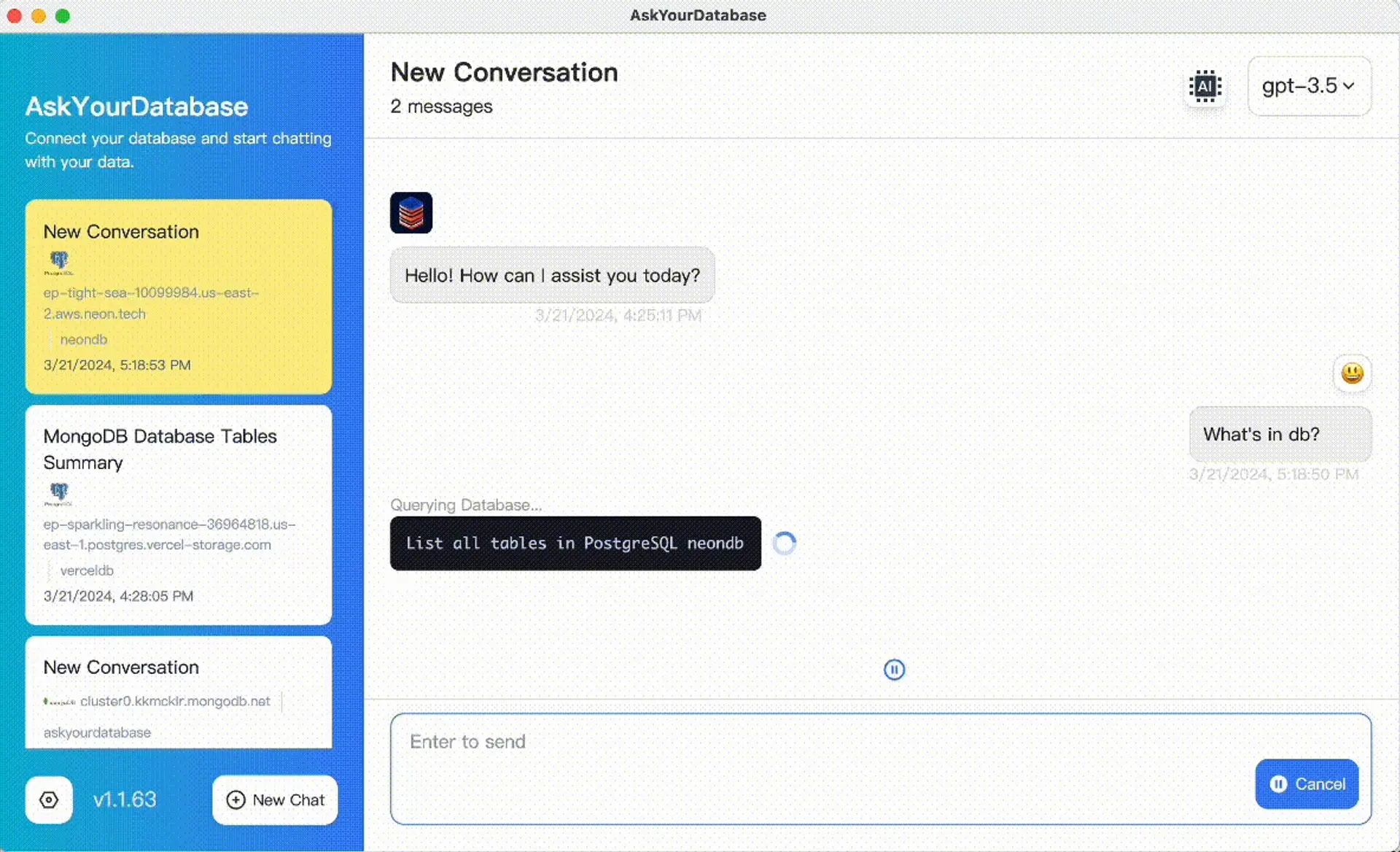
This existing product screenshot illustrates the AskYourDatabase interface. It is not a CMMS connection screenshot or the output of the synthetic reference above.
Use the text-to-SQL acceptance kit for broader known-answer evaluation and the SQL dashboard guide when the accepted result needs a recurring visual presentation. They cover separate tasks; neither supplies missing maintenance history.
Review security and data flows before connecting real maintenance information. Desktop executes database queries from the computer, while AI processing may involve external services and selected context or results. If the application and model must meet private hosting requirements, review private deployment separately. Read-only database access restricts writes but does not by itself isolate sites or prevent sensitive data from appearing in an answer.
For a practical next step, prepare one approved reporting view and one reconciled backlog question, then download the Desktop app and review the plans. A useful trial produces an answer the maintenance owner can trace to records and rules. It does not require promising predictive maintenance, automated repairs or unverified time savings.
Frequently asked questions
What is natural language querying in a CMMS?
It lets a user ask a maintenance-data question in everyday language and receive a report or answer based on permitted records. Useful answers still require agreed work-order statuses, date rules, data freshness and access controls.
Does AskYourDatabase connect directly to every CMMS?
No. This guide uses approved CMMS data already prepared in a supported SQL database. Your team owns extraction, synchronization and permission mapping. Database support does not establish a native CMMS connector.
Does overdue include work orders due today?
In this example, no: overdue means a known due date strictly before October 26, 2026. Orders due today remain in the backlog but are not overdue. Use the rule approved by your maintenance team.
Can the current snapshot show last month’s backlog?
Not reliably. Current status can differ from status at the historical cutoff. Use a retained snapshot or sufficient event history to reconstruct the earlier population, including reopened and cancelled orders.
Can work-order age be used as equipment downtime?
No. Work-order age measures elapsed time since the chosen work-order date. Equipment downtime needs actual unavailable intervals and rules for overlapping events, operating schedules and planned outages.
Does the example prove AI accuracy or maintenance savings?
No. The synthetic SQL reference was executed locally in SQLite. No live AI, CMMS, production database or equipment was tested. Actual evaluation results and operating outcomes remain unmeasured.