Natural language to SQL
Generate SQL with the context generic chatbots miss
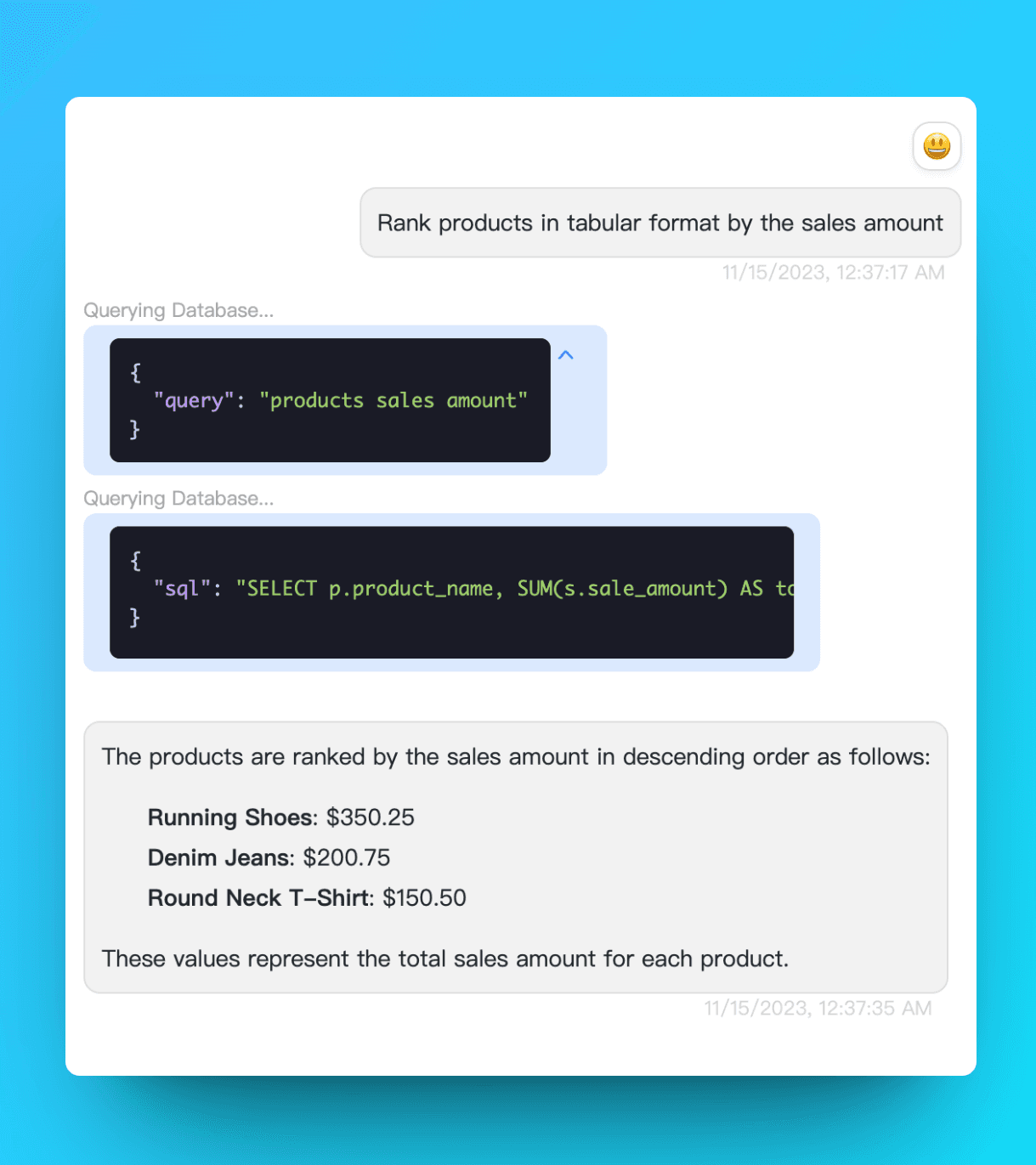
An AI SQL query generator translates a question such as “Which products grew fastest last quarter?” into executable SQL. The important part is context: table names, column meanings, relationships, database dialect, and the business definition of “grew.” AskYourDatabase works with a connected schema so you do not have to paste that context into every prompt.
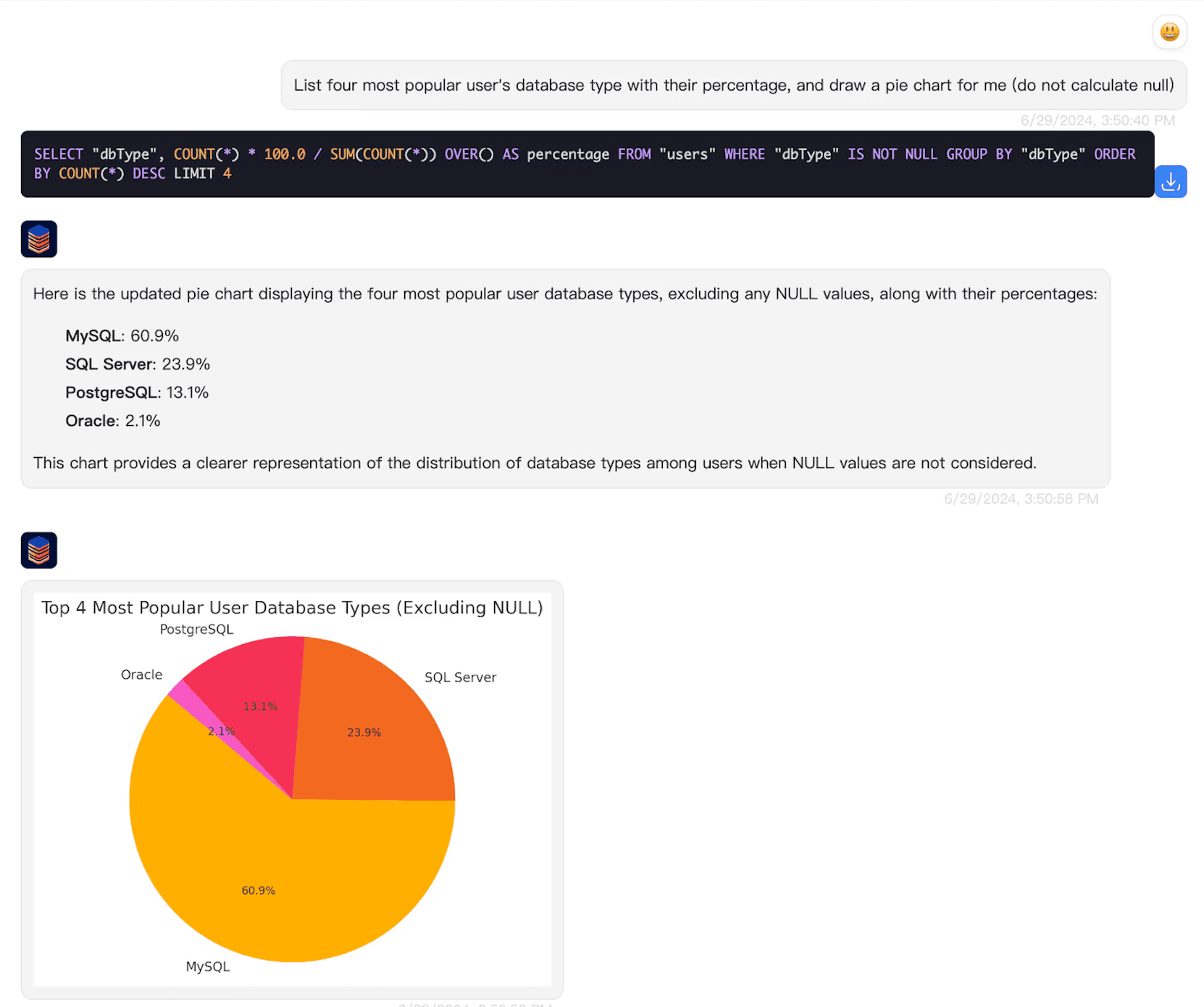
It is designed for more than copying a SQL snippet. You can run the query, inspect the returned rows, ask a follow-up question, correct an assumption, and create a visualization in the same conversation. Read our guide to querying a database with AI for the complete workflow.
Natural-language SQL examples
Precise prompts produce more useful SQL. Include the metric, time range, grouping, sorting, and any business rule that is not obvious from the schema.
| Plain-English request | SQL concepts generated |
|---|---|
| Show monthly revenue for the last 12 complete months, split by region. | Date filtering, month grouping, SUM, and GROUP BY |
| Find customers whose order value increased for three consecutive quarters. | CTEs, quarterly aggregation, and window functions |
| List the ten products with the highest return rate, excluding products with fewer than 100 orders. | JOIN, conditional counts, HAVING, sorting, and LIMIT |
How to generate an accurate SQL query
- 1
Connect the correct database
Select the database type and use an account with only the permissions needed for the task. A read-only account is the safer default for analysis.
- 2
Ask a specific business question
State the measure, date range, filters, grouping, and expected output. Use the same terminology your schema or training notes use.
- 3
Review the generated SQL
Check table names, joins, date boundaries, NULL handling, aggregation level, and row limits before execution.
- 4
Run, inspect, and refine
Execute the query, validate a few returned rows, then use follow-up questions to change filters, explain the SQL, or visualize the result.
SQL dialects are not interchangeable
PostgreSQL, MySQL, SQL Server, BigQuery, Snowflake, and Oracle differ in date functions, identifier quoting, pagination, data types, and other syntax. Choosing the database type helps the generator produce the correct dialect rather than generic SQL that needs manual repair.
Safety checklist for generated SQL
- Use a read-only database user for exploratory analysis.
- Review JOIN conditions and aggregation levels to prevent duplicated totals.
- Add a row limit while validating an unfamiliar or expensive query.
- Test INSERT, UPDATE, and DELETE statements outside production and verify the WHERE clause before execution.
- Add schema training notes for internal status codes and ambiguous business terms.
Review the AskYourDatabase security documentation before connecting sensitive or production data.
Frequently asked questions
What is an AI SQL query generator?
An AI SQL query generator converts a natural-language request into SQL for a specific database dialect. A schema-aware generator can use your real table names, columns, and relationships instead of inventing a generic query.
Do I need to know SQL to use AskYourDatabase?
No. You can ask a question in plain English, inspect the generated SQL, and view the result. SQL knowledge is still useful when reviewing a query before it runs against important data.
Which databases can generate queries?
AskYourDatabase supports PostgreSQL, MySQL, Microsoft SQL Server, BigQuery, Snowflake, Oracle, MongoDB, SAP HANA, Trino, and other database systems. Generated syntax follows the selected database dialect.
Can an AI SQL generator create JOINs and aggregations?
Yes. It can generate JOINs, filters, GROUP BY queries, common table expressions, subqueries, and window functions when the request and schema provide enough context.
How do I get more accurate generated SQL?
Use the real business terms, define the date range and metric, name important dimensions, and provide accurate schema context. Add training notes for ambiguous columns, status codes, or non-obvious table relationships.
Should I run AI-generated SQL directly in production?
Review generated SQL before execution and use a read-only database account for analysis. Test write queries in a safe environment, restrict permissions, and verify filters before running UPDATE or DELETE statements.