
AskYourDatabase Desktop
Download AskYourDatabase for macOS and Windows
Chat with your database using AI from your computer. Ask questions in plain English, work with SQL results, and explore follow-up questions without building a dashboard first. The Desktop app connects to your database from your local environment.
macOS & Windows
Get the desktop app
Sign in, then choose the Windows or macOS installer.
Still evaluating your workflow? Compare AskYourDatabase alternatives and selection criteria before choosing a desktop client, managed service, or custom agent.
Installer guide · Reviewed October 25, 2026
Download, install, then connect
Start with the installer for the computer where you will run AskYourDatabase. Windows uses an .exe installer; Mac uses a .dmg disk image. Use the buttons above for the current release rather than a saved, version-specific download link. Installing Desktop does not require a Node.js or npx command.
- Sign in on this website. Select “Sign in to choose installer” above and complete the account flow. Once the website recognizes your session, the Windows and Mac buttons appear. Your website account and your database login serve different purposes; do not enter a database password into the website sign-in dialog.
- Choose Windows or Mac and check the browser download. A “Download started” message means the browser was asked to retrieve the file. It does not confirm that the transfer finished or that the app was installed. Wait for the browser to show a completed file before opening it.
- Open the completed file. On Windows, open the .exe and follow the installer prompts. On Mac, open the .dmg and follow the instructions in the disk-image window. Apple explains the general process in its Mac app installation guide. A managed work computer may require approval from your IT team.
- Launch the app and prepare one connection. Follow the app's account prompts, then use an approved database and its connector-specific details. Begin with the setup checklist below. A successful install does not establish database access or confirm your account's AI allowance; review both before evaluating answers.
The two download buttons identify operating systems, not a complete compatibility matrix. If you need confirmation for an OS release, Apple silicon, Intel or a Windows processor architecture, provide those details to support before choosing a plan. This page does not offer a Linux installer.
Find the stage that needs attention
Separate a missing file from an app-launch or database problem. This helps you retry the relevant step without changing a working connection or account.
| What you see | Next check |
|---|---|
| Sign-in button remains | Confirm website sign-in completed in this browser, then revisit the download section. A database login will not reveal the installer buttons. |
| No completed file | Check the browser's downloads list for a paused, failed or blocked transfer. Retry from this page on an approved network. Record the error if the release host is unavailable. |
| File downloads but will not open | Confirm the file matches your OS and the transfer completed. Record the OS, processor, filename and exact warning for support or IT. Keep system security checks enabled. |
| App opens but database fails | Move to connection troubleshooting: network reachability, authentication and permissions are separate from installation. |
For a support request, include the failed stage, OS and processor, downloaded filename or app version, and a redacted error message. Leave out passwords, connection strings containing credentials, tokens and customer query results. This guide checks the download path; it does not certify every device or override your organization's installation policy.
Setup checklist
Before you connect your database
Step 01
Choose your platform
Sign in above and select Mac for macOS or Windows for your PC. Install the app, then open it to begin your database setup.
Review Desktop plans and billing for your individual or team use.
Step 02
Prepare database access
Get the database type, host, port, database name, and credentials from your administrator. For analysis, start with a database user restricted to reading the tables you need.
Follow the database connection guide for your connector. BigQuery needs a project ID and credentials JSON.
Step 03
Check the data flow
Database access happens from your computer. AI analysis can send questions and necessary response data to a model provider through the AI gateway; the app is not an offline AI system.
Read the security documentation before choosing data for your evaluation.
First workflow
From installation to your first useful answer
Connect a small, representative dataset and ask a question whose answer you can verify. For an orders table, try the sequence below, adapting the names to your schema. These are example prompts, not measured results.
- 01Understand the schema “Which tables and columns describe orders, customers, and order dates?”
- 02Check a known total “How many completed orders were placed last month? Use calendar dates and show the filters.” Compare the answer with an existing report.
- 03Explore a follow-up “Break that total down by week.” Confirm the date range, status definition, and treatment of missing values stay consistent.
- 04Explain business terms Add schema comments or examples if “completed” has a special meaning. Use the training guide and answer-quality tips to improve the next question.
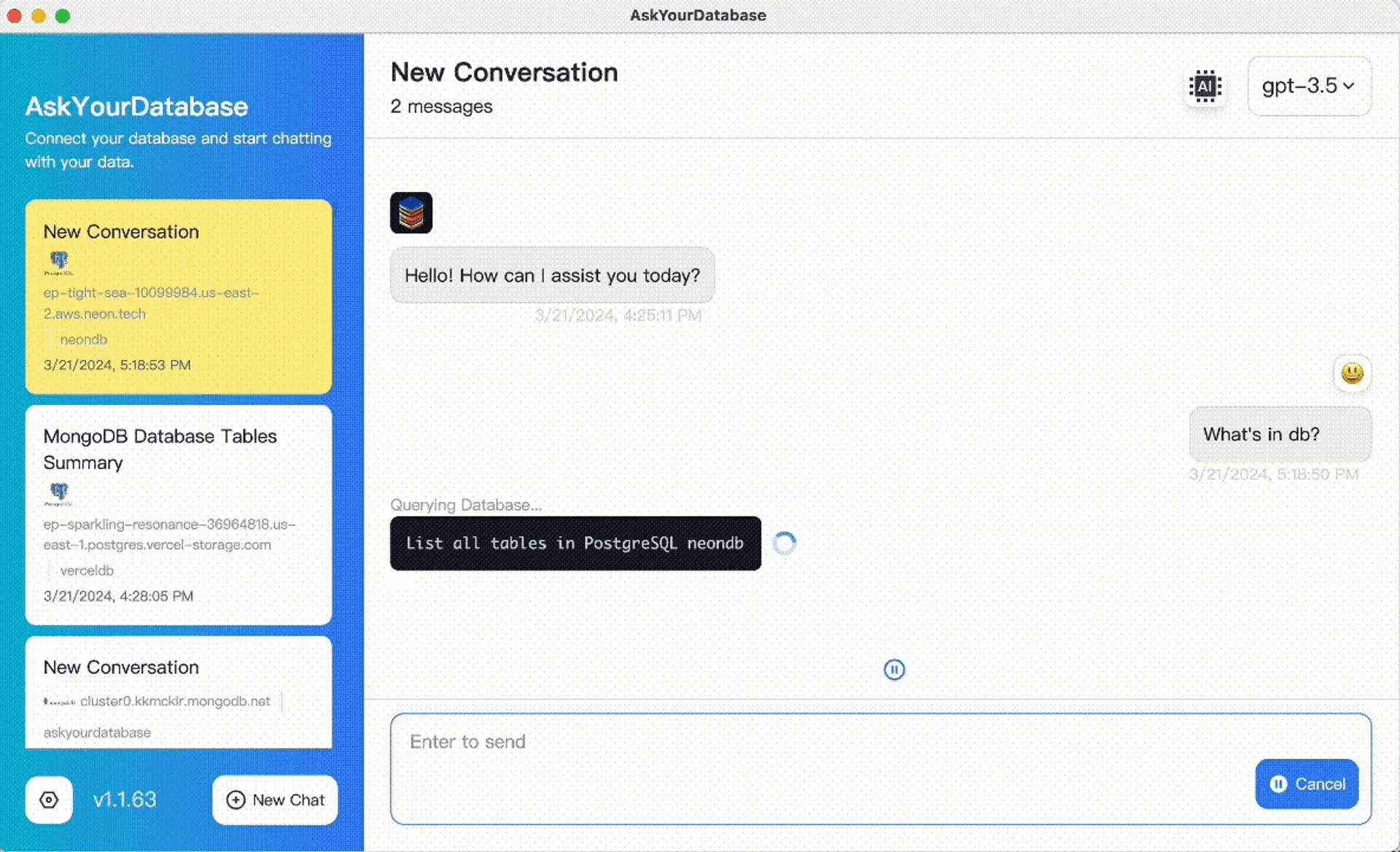
For more examples, read how to query a database with AI or the natural-language query guide. Comparing tools first? See the AskYourDatabase and BlazeSQL comparison.
Troubleshooting
If the app cannot connect
- Connection timeout
- Check that your computer can reach the database host and port. If access requires a company VPN, connect through the approved network. The Website Chatbot server allowlist does not replace Desktop network access.
- Authentication or permission error
- Confirm the database name, credentials, and permitted tables with your administrator. SQL Server uses an ADO.NET connection string; use the connector-specific format in the connection guide.
- An answer looks wrong
- Check table relationships, duplicate rows after joins, time zones, and business definitions. Validate against a known answer before using the result in a report.
For installation or compatibility help, contact support with your OS, app version, and a redacted error message. Do not include passwords or connection secrets.
A different workflow
Need a chatbot in your website instead?
Choose Desktop for analysis from your own computer. For an embedded customer-facing experience, follow the Website Chatbot setup guide. If your organization requires private deployment, review Enterprise deployment options and confirm infrastructure and model requirements with your team.
Quick answers
Download FAQ
- Why do I see a sign-in button instead of an installer?
- The download section shows Windows and Mac buttons after website sign-in. Return to this page after completing sign-in and wait for your account session to load. If the sign-in button remains, check that you are using the same browser session. Website sign-in is separate from your database credentials.
- Do I need Node.js or npx to install AskYourDatabase Desktop?
- The Desktop download workflow uses a Windows .exe installer or a Mac .dmg disk image. It does not require a Node.js or npx installation command. Developer instructions for a separate integration are a different workflow. Use the installer buttons on this page to get the current release.
- How do I download AskYourDatabase?
- Sign in using the download section on this page, then choose Windows or Mac. Open the downloaded installer and launch AskYourDatabase. You will need an account and a database connection to start working with your own data.
- Is AskYourDatabase available for macOS and Windows?
- This page provides macOS and Windows installers. A Linux installer is not offered here. If you need help with a particular OS version or processor, contact support before choosing a plan.
- Can I chat with a local or private database?
- The Desktop app connects to your database from your computer. Your computer must be able to reach the database host and port, using your organization's approved network or VPN when required. The Website Chatbot's server IP allowlist is a separate setup.
- Does the Desktop app run AI entirely offline?
- No. Local database connections and query execution do not mean offline AI. Questions and necessary response data can be sent through the AI gateway to a model provider for analysis. Review the security documentation and your organization's data policy before connecting sensitive data.
- Which databases can I use?
- The connection guide covers MySQL, PostgreSQL, MongoDB, SQL Server, BigQuery, ClickHouse, and Vertica. Connection details differ by database: for example, BigQuery uses a project ID and credentials JSON. Check the guide for your database before connecting.
- Where can I check Desktop pricing?
- See the pricing page for current Desktop plans and billing periods. Desktop plans are based on seats; Website Chatbot plans use different allowances. Confirm the plan and AI usage available to your account before relying on it for a team workflow.