
Query CRM Data with AI: Verify Your Sales Pipeline
Query CRM data in natural language with a checked sales-pipeline example. Compare native CRM and SQL workflows, define metrics, and verify access and totals.
You can query CRM data in natural language with a CRM-native assistant or a database assistant connected to approved reporting data. For a sales pipeline review, the useful answer is more than a total: it identifies the deal population, reporting snapshot, currency and missing values so the sales owner can reconcile it with the CRM.
Start inside your CRM when you need record lookup, meeting context or supported record updates. Consider a SQL analytics workflow when your team already maintains CRM data in a reporting database and needs cross-deal calculations or follow-up analysis. AskYourDatabase fits the latter workflow described here; this guide does not promise a turnkey connector or synchronization service for every CRM.
This guide is published by AskYourDatabase. It includes an invented pipeline snapshot and a locally checked PostgreSQL reference, not customer results or a comparative AI benchmark. Product and source documentation were reviewed on October 17, 2026.
Choose the route that answers your CRM question
A request to “chat with our CRM” can refer to different jobs. Match the data source and permissions to the job before comparing assistant names.
| Job | Starting route | Evidence to request |
|---|---|---|
| Find a deal, summarize an account or prepare for a meeting | Your CRM's native assistant | Available objects, source records, user permissions and plan coverage |
| Calculate pipeline across deals or follow up on a metric | Governed reporting database plus conversational analytics | Snapshot freshness, deal grain, calculation definitions and reference totals |
| Explain objections from calls, emails and notes | A tool with the required document and conversation retrieval | Actual source coverage, citations, permissions and retention |
| Update stages, create tasks or send outreach | An approved CRM action workflow | Write permissions, approval behavior and an auditable record of changes |
For example, HubSpot's Breeze Assistant documentation covers CRM-related tasks, context and source review, with actions governed by user permissions. Zoho's CRM Insights example describes natural-language questions over CRM records. These are valid native starting points; do not assume every CRM assistant only searches text or that a separate SQL tool is always necessary.
For the database route, your administrator prepares approved records in a supported database. Database support alone does not establish support for your CRM's authentication, custom objects or sharing model. Confirm those requirements in the actual product and deployment.
The worked example below focuses on CRM pipeline meaning and reconciliation. The natural-language querying overview explains the broader technique; the ERP reporting guide covers posted invoices and payments. Pipeline opportunities are neither booked sales nor receivables.
Define a pipeline question the sales owner can check
Replace “What is our pipeline?” with a bounded request:
From the October 17, 2026 snapshot, show organization 10's open USD deals with expected close dates from October 1 through December 31. Group by owner. Count every eligible deal, report how many have known amounts, and show the known amount total. Separately show the weighted subtotal only for deals with both a known amount and a probability between zero and one. Do not treat missing values as zero.
The reporting contract needs six explicit decisions:
- One row per deal: use organization plus deal ID if identifiers repeat across organizations. Contacts and activities can have many rows per deal.
- Snapshot: identify when the source was captured and when synchronization last succeeded. “Current” is not a historical snapshot.
- Stage map: document which source stage IDs count as open, won or lost. Different pipelines can reuse stage labels with different meanings.
- Close-date window: specify expected close date rather than creation date, and decide how overdue open deals are handled.
- Currency and amount: identify deal value versus recurring value, and keep currencies separate unless an approved conversion rule exists.
- Probability: record whether it comes from the stage, a manually maintained field or another model. A configured percentage is not proof of calibrated likelihood.
Our definition includes still-open deals with expected dates earlier in the current quarter. A “remaining quarter” report starting October 17 would be a different question. For timestamps, agree the business time zone before deriving a reporting date.
A current export cannot answer “What did we believe the pipeline was on September 30?” unless historical snapshots or suitable change history were retained. Filtering today's records by an old creation date does not restore the stage, amount, owner or expected close date that existed then.
A small pipeline example with a checkable answer
The invented dataset contains eight deals. Organization 10 has two open USD deals for Alex: 10,000 at 50% and 20,000 at 25%. Blair has an 8,000 USD deal with an unknown probability and another open deal with an unknown amount. The other rows are a won deal, a next-quarter deal, a EUR deal and a different organization's deal reusing ID 1.
Download the complete PostgreSQL reference and pipeline acceptance worksheet. The query uses only inline invented rows and SELECT expressions; it does not create tables or connect to a CRM. Run it in a local test environment. Other SQL engines may require syntax changes.
-- Synthetic CRM snapshot, not a live CRM query or AI benchmark.
-- PostgreSQL; read-only CTEs. Snapshot date is 2026-10-17.
WITH deals(org_id, deal_id, owner_name, state, close_date, currency,
           amount, probability) AS (
  VALUES
    (10, 1, 'Alex', 'open', DATE '2026-10-31', 'USD', 10000::numeric, 0.5::numeric),
    (10, 2, 'Alex', 'open', DATE '2026-11-30', 'USD', 20000, 0.25),
    (10, 3, 'Blair', 'open', DATE '2026-12-31', 'USD', 8000, NULL),
    (10, 4, 'Blair', 'open', DATE '2026-10-31', 'USD', NULL, 0.5),
    (10, 5, 'Alex', 'won', DATE '2026-10-15', 'USD', 12000, 1),
    (10, 6, 'Alex', 'open', DATE '2027-01-01', 'USD', 9000, 0.5),
    (10, 7, 'Alex', 'open', DATE '2026-11-15', 'EUR', 7000, 0.5),
    (20, 1, 'Alex', 'open', DATE '2026-10-31', 'USD', 50000, 0.9)
), contacts(org_id, deal_id, contact_id) AS (
  VALUES (10, 1, 101), (10, 1, 102), (10, 2, 103), (20, 1, 201)
), eligible AS (
  SELECT d.* FROM deals d
  WHERE org_id = 10 AND state = 'open' AND currency = 'USD'
    AND close_date >= DATE '2026-10-01'
    AND close_date < DATE '2027-01-01'
)
SELECT owner_name,
       COUNT(*)::int AS open_deals,
       COUNT(amount)::int AS deals_with_amount,
       SUM(amount) AS known_pipeline_usd,
       COUNT(*) FILTER (WHERE amount IS NOT NULL
         AND probability BETWEEN 0 AND 1)::int AS weighted_deals,
       SUM(CASE WHEN probability BETWEEN 0 AND 1
         THEN amount * probability END) AS known_weighted_usd
FROM eligible
GROUP BY owner_name
ORDER BY owner_name;
Expected result:
| Owner | Open deals | Deals with amount | Known pipeline USD | Weighted deals | Known weighted USD |
|---|---|---|---|---|---|
| Alex | 2 | 2 | 30,000 | 2 | 10,000 |
| Blair | 2 | 1 | 8,000 | 0 | NULL |
There are four eligible deals, but only three known amounts totaling 38,000 USD. The known weighted subtotal is 10,000 USD across two deals. Blair's NULL subtotal means no eligible weighted amounts are known; it does not mean the opportunities are worth zero. A chart should carry these coverage counts rather than presenting 38,000 as a complete pipeline valuation.
Alex's calculation is 10,000 × 0.50 + 20,000 × 0.25 = 10,000. Multiplying the 30,000 total by the unweighted average probability, 37.5%, would incorrectly produce 11,250. Apply each probability to its own deal before summing.
Why contact joins inflate the same pipeline
Deal 1 has two contacts. A direct inner join of eligible deals to contacts produces two copies of deal 1 and one of deal 2, summing to 40,000 USD, while also dropping Blair's deals without contacts. Adding a contact can then appear to create pipeline value.
If the question is “deals with any contact,” use an existence condition keyed by organization and deal ID; its expected known amount here is 30,000 across two deals. If the question needs contact counts, aggregate contacts to one row per deal before joining. PostgreSQL's EXISTS documentation explains the row-existence behavior used for this kind of filter.
Even a plausible total can be wrong. Compare deal IDs and coverage, not only the displayed sum. The SQL fixture includes contacts to make this failure reproducible, although the main pipeline question does not need a contact join.
Evaluate this workflow in AskYourDatabase
1. Prepare a restricted reporting surface
Have the data owner expose the required deal fields in an approved SQL database or reporting view. Maintain extraction, deletion handling, stage mapping and refresh monitoring outside this conversation. Connecting AskYourDatabase does not create those data pipelines or synchronize CRM permissions automatically.
Use synthetic or approved test data first. Limit the database identity to the objects and operations needed for analysis, and validate transport settings for the actual connector. Do not put CRM passwords, database credentials, personal notes or customer contact details in the prompt.
2. Connect and explain the business meaning
Use the Desktop setup and the connection instructions for your chosen engine. Confirm the active database and reporting view with a small known result. Add the stage map, composite key, currency rule, snapshot definition and probability scale through the documentation and SQL-example workflow.
Training context helps explain fields; it does not certify every future answer. Keep some evaluation questions separate from the examples supplied to the assistant.
3. Ask, inspect and reconcile
Ask the bounded pipeline question above against the corresponding prepared test data. Inspect the generated query and returned rows, then compare IDs, counts, known totals and missing values with the approved CRM report from the same snapshot. Ask for clarification when a field or definition is unavailable.
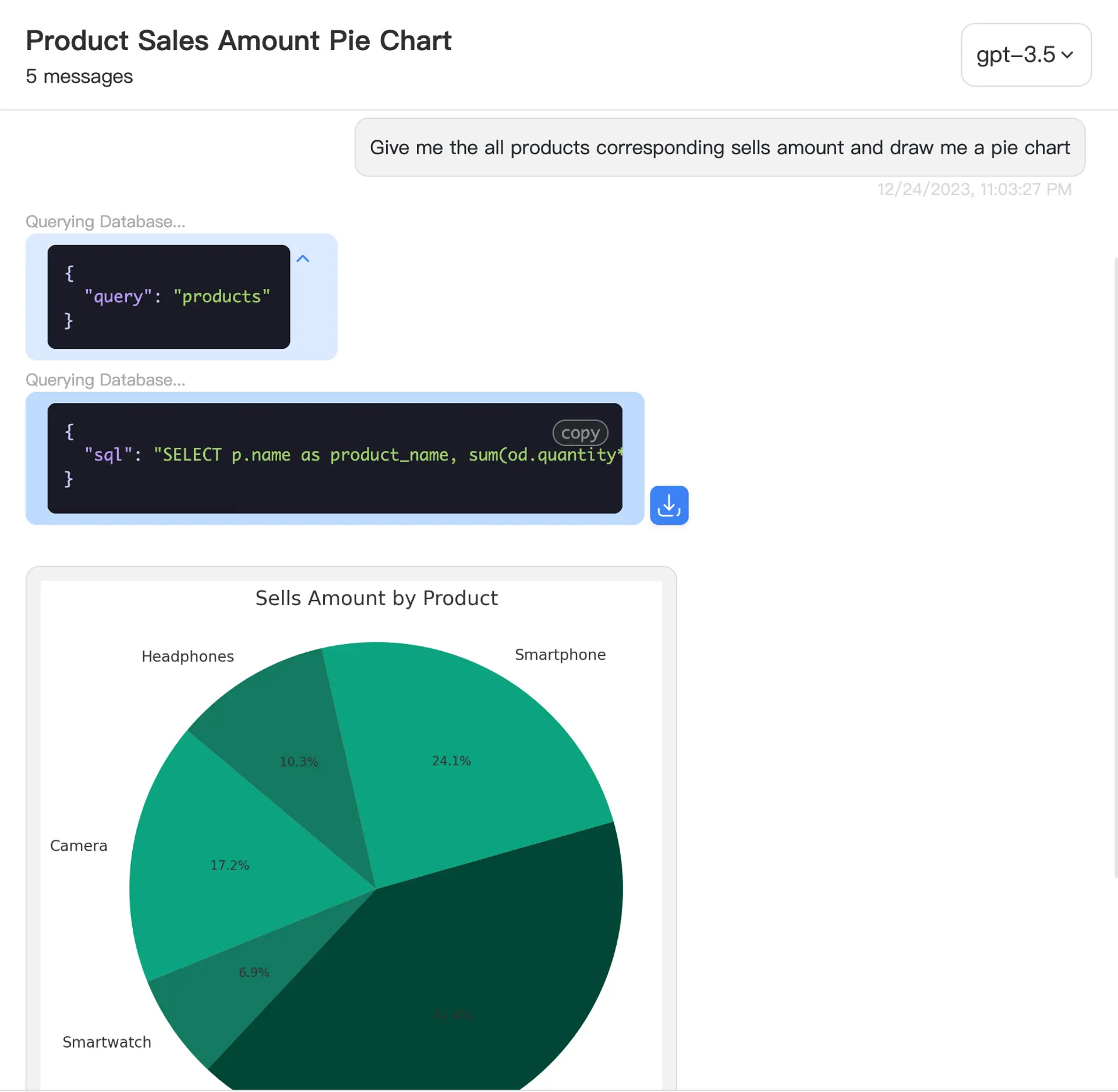
AskYourDatabase product interface illustration. This screenshot is not the CRM fixture output and does not demonstrate a connected CRM or benchmark result.
4. Change one condition and check again
Ask “Only Alex's deals,” then “Only deals with at least one contact.” Both should return two eligible deals and 30,000 known USD in this fixture. Ask “Which eligible deals lack a usable probability or amount?” and expect Blair's deal IDs 3 and 4.
Change the close-date window to the next quarter: the fixture then contains one qualifying 9,000 USD deal. A correct first answer followed by an incorrect filter is still a failed workflow. Record failures and corrections in the worksheet, using the broader text-to-SQL evaluation kit for a larger test set.
5. Choose the rollout and next step
For an analyst evaluating approved SQL reporting data, start with Desktop and review plans. For a conversation inside your own application, use the embedded database chatbot guide and test the real identity path. Compare application and model hosting separately for a private deployment.
Desktop executes database queries from your computer, but its AI workflow can send questions, schema context and selected results to external processing. Hosted conversations may retain result content. Review the security and data-flow documentation before using sensitive CRM data. Local connectivity does not mean offline inference.
Access and acceptance before a live pipeline review
CRM owner fields are business attributes, not permission enforcement. A SQL connection using a shared service account does not automatically inherit each salesperson's CRM sharing rules. Restrict readable rows and columns in the actual execution path, then test users with different permitted scopes. Prompts such as “ignore the owner filter” must not reveal another team's restricted data.
| Check | Required evidence |
|---|---|
| Correct population | Eligible deal IDs match the approved source report |
| Complete measurement | Known and missing amounts/probabilities are disclosed |
| Stable grain | Adding a contact does not multiply deal value |
| Freshness | Snapshot and last successful synchronization are explicit |
| Effective access | Separate identities cannot retrieve forbidden rows or fields |
| Useful follow-up | Changed owner, date and contact filters produce expected results |
These are proposed acceptance checks, not a claim that your deployment has passed them. SQL correctness tests do not verify authentication or authorization. Preserve the query, definitions, snapshot and observed answer for review; measure actual successful independent analyses before making an adoption claim.
Frequently asked questions
Can I query CRM data in natural language?
Yes, through a CRM-native assistant or an analytics tool connected to approved CRM reporting data. Choose by the task: record lookup and updates, cross-deal analysis, or document retrieval. Each route needs its own permission and result checks.
Does this guide connect AskYourDatabase directly to every CRM?
No. The demonstrated route uses CRM records already prepared in a supported SQL reporting database. Your team owns extraction, synchronization and permission mapping. Verify any direct CRM connector, authentication and object coverage separately.
Is weighted pipeline the same as a revenue forecast?
No. Multiplying deal amounts by configured probabilities gives a weighted pipeline measure. It is not a calibrated forecast or booked revenue. Missing probabilities, stage definitions and the observation date can materially change the result.
Why does the AI pipeline total differ from the CRM report?
Compare the same snapshot, organization, owner, currency, close-date window and stage rules. Check for repeated deals after contact or activity joins, missing values, deleted records and stale synchronization before changing the prompt.
Will CRM sharing rules automatically apply to a SQL connection?
No. A reporting database has its own execution identity and access controls. Recreate and test the required row and column restrictions. A read-only account or a prompt naming a salesperson does not establish user isolation.
What does the downloadable example prove?
It supplies an independently checkable answer for invented CRM rows. Local PostgreSQL checks validate the reference query and edge cases. They do not establish AI accuracy, a working CRM connector, production permissions or a reliable sales forecast.