
How to Build an Embedded AI Database Chatbot
Build an embedded AI database chatbot for SaaS with authenticated sessions, tenant access controls, verified SQL answers, and a production testing plan.
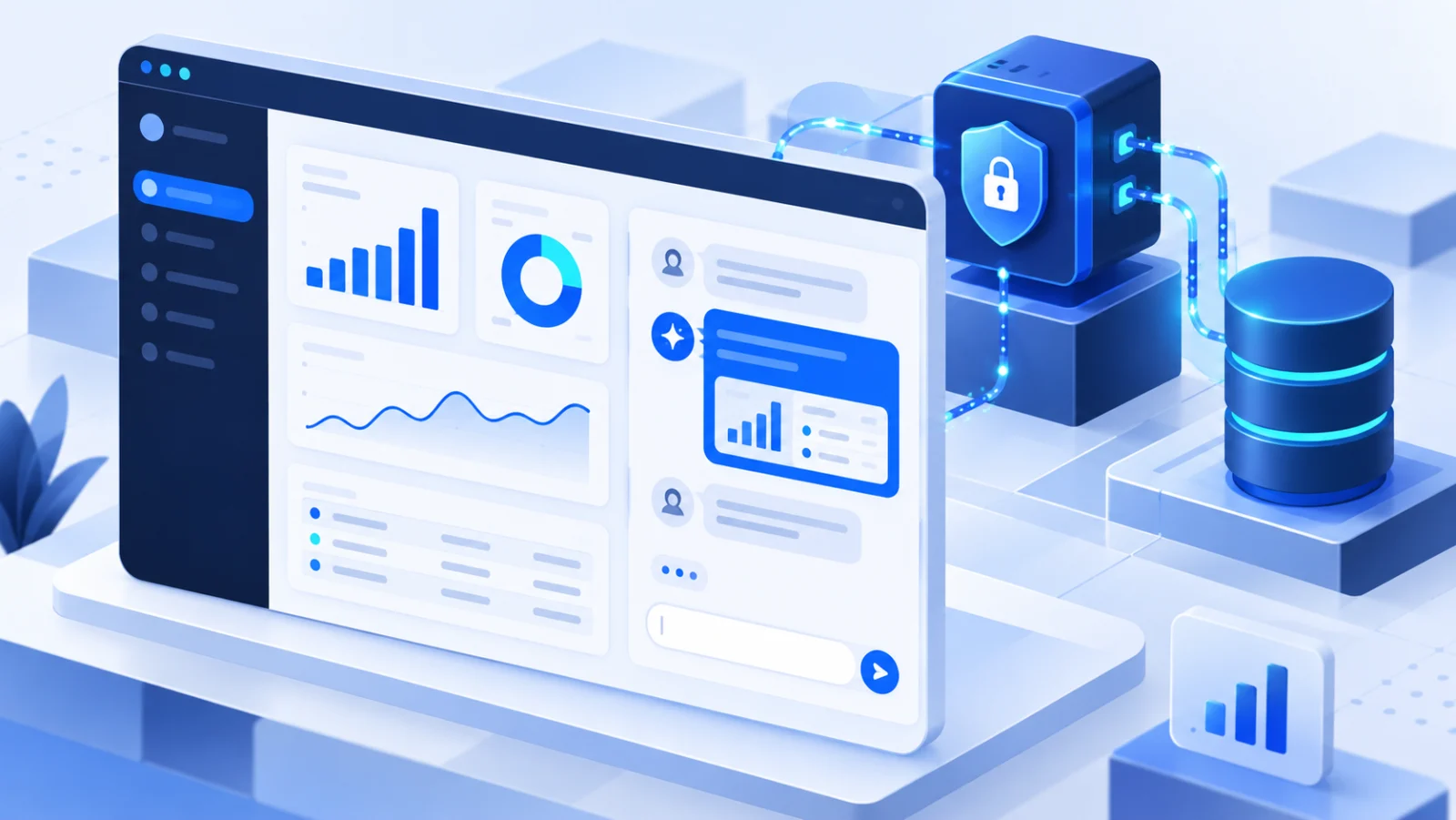
An embedded AI database chatbot lets a signed-in SaaS user ask questions about application data without leaving the product. A production implementation is more than text-to-SQL: it must connect application identity to database permissions, create sessions without exposing secrets, preserve tenant boundaries, and verify that a plausible answer is actually correct.
This guide shows a practical architecture and test plan for adding conversational analytics to a customer-facing product. The examples use AskYourDatabase's documented session and access-control workflow, but the security and evaluation principles also apply when you build the full stack yourself.
Disclosure and scope: This article is published by AskYourDatabase and uses its current product documentation and source behavior as of September 18, 2026. It does not claim that an untested configuration is secure or that generated answers are automatically correct. Your team remains responsible for database permissions, identity, validation, and production acceptance.
Start with a narrow customer decision
“Let customers chat with all their data” is not a testable product requirement. Start with one user, one decision, and a small set of permitted metrics.
For a subscription SaaS product, a useful first scope might be:
- User: an account administrator who is already signed in.
- Decision: understand why paid seat count changed this month.
- Permitted data: the current account's subscriptions, invoices, and seat events.
- Questions: five analyst-approved questions with known answers.
- Output: a short explanation, result table, and optional chart.
- Failure behavior: ask for clarification or return no answer when the metric is ambiguous.
This definition prevents a prototype from looking successful simply because it produces fluent language. It also gives security, product, and data teams a shared acceptance target.
If your immediate goal is a commercial product evaluation rather than an implementation tutorial, use the embedded analytics chatbot overview and its build-versus-buy checklist.
Choose the right conversational analytics architecture
There are three common ways to add conversational analytics to a SaaS product. They differ mainly in how much infrastructure and product risk your team owns.
| Architecture | What you build | What you still must validate | Best fit |
|---|---|---|---|
| Custom model and text-to-SQL stack | Prompting, schema retrieval, SQL generation, execution, chat UI, policies, evaluation, monitoring | Every layer | Teams treating the data assistant as core intellectual property |
| Headless conversational analytics API | Product UI and some orchestration around a vendor API | Identity mapping, permissions, UI states, answers, costs | Teams needing complete UI control |
| Embedded managed chatbot | Backend session route, identity mapping, configuration, policies, acceptance tests | Source permissions, tenant boundaries, business context, answers | Teams prioritizing deployment speed and a maintained interface |
Current vendor architectures reflect this range. Google documents iframe and API patterns for embedded Conversational Analytics in Looker, while Cube documents iframe, chat API, and headless approaches for embedded analytics. These links establish common integration patterns, not a performance comparison with AskYourDatabase.
AskYourDatabase uses a server-created session URL that can be loaded in an <iframe>. It also documents context variables and row-level policies, tenant-specific database switching, business-context training, and chatbot presentation controls.
Design the trust boundaries before writing UI code
Draw four boundaries before implementation:
- Browser boundary: treat customer-controlled input as untrusted.
- Application backend: authenticate the user, derive trusted tenant identity, and keep API keys server-side.
- Analytics service: create the chat session and apply the configured query workflow.
- Database: enforce the smallest practical set of tables, views, rows, and operations.
The browser should never decide which tenant it belongs to by submitting an arbitrary tenantId. The backend should derive that identifier from the authenticated SaaS session. The same rule applies to database selection: do not accept raw connection details from a browser and forward them to a session API.
Use defense in depth. A row-level policy is helpful, but it should sit on top of restricted database permissions or approved reporting views. A prompt that says “only show this customer's rows” is not an authorization boundary.
Step 1: Restrict the database surface
Begin with a staging database, sample data, or a reporting schema. Create a database user that can access only what the feature needs.
For a customer-facing analytics workflow:
- Prefer read-only views that already encode approved joins and metric rules.
- Exclude secrets, credentials, internal notes, and operational tables.
- Apply query timeouts and warehouse cost controls appropriate to the database.
- Decide how NULL values, currencies, refunds, test accounts, and time zones should work.
- Keep a list of tables and columns that must never be available.
If a workflow needs writes, treat that as a separate product and security decision. Do not expand a read-only analytics experiment into CRUD because a generated query appears reasonable.
AskYourDatabase's connection guide covers supported connector formats. Use the database connection documentation and review security and data handling for the product mode you plan to deploy.
Step 2: Create authenticated sessions on your backend
Your SaaS backend should create the AskYourDatabase session after it has authenticated the user. The browser calls your endpoint; your endpoint calls the chatbot session API with a server-side API key.
The simplified Next.js route below derives identity from a placeholder requireUser function. Replace that function with your own authenticated session library. Do not accept the email, account ID, or API key from the request body.
import { NextResponse } from "next/server";
import { requireUser } from "@/lib/auth";

export async function POST() {
  const user = await requireUser();

  const response = await fetch(
    "https://www.askyourdatabase.com/api/chatbot/v2/session",
    {
      method: "POST",
      headers: {
        Authorization: "Bearer " + process.env.AYD_API_KEY,
        "Content-Type": "application/json",
      },
      body: JSON.stringify({
        chatbotid: process.env.AYD_CHATBOT_ID,
        name: user.name,
        email: user.email,
        properties: {
          accountId: user.accountId,
          role: user.role,
        },
      }),
    },
  );

  if (!response.ok) {
    return NextResponse.json(
      { error: "Could not create analytics session" },
      { status: 502 },
    );
  }

  const { url } = await response.json();
  return NextResponse.json({ url });
}
The response contains a single-use callback URL. Return that URL to the authenticated browser and load it in your product. The complete chatbot embed guide includes the current endpoint and a working Next.js example.
Session implementation checklist
- Store the API key in a server environment variable or secret manager.
- Verify the current user before every session request.
- Derive accountId, role, and related properties on the server.
- Return a generic failure message to the browser; log redacted details internally.
- Handle revoked access and expired or already-used session URLs.
- Rate-limit your session endpoint according to the product's expected use.
Step 3: Embed the chat interface
After your backend returns the session URL, the frontend can load it in an iframe. Keep the component responsible for product states—not authorization.
"use client";

import { useEffect, useState } from "react";

export function AnalyticsChat() {
  const [sessionUrl, setSessionUrl] = useState("");
  const [error, setError] = useState("");

  useEffect(() => {
    fetch("/api/analytics-session", { method: "POST" })
      .then(async (response) => {
        if (!response.ok) throw new Error("Session creation failed");
        return response.json();
      })
      .then(({ url }) => setSessionUrl(url))
      .catch(() => setError("Analytics chat is temporarily unavailable."));
  }, []);

  if (error) return <p role="alert">{error}</p>;
  if (!sessionUrl) return <p>Loading analytics chat…</p>;

  return (
    <iframe
      title="Account analytics assistant"
      src={sessionUrl}
      style={{ width: "100%", height: 680, border: 0 }}
    />
  );
}
Plan for slow networks, session creation failures, unavailable data sources, and small screens. An embedded analytics feature should never block the rest of the account page from loading.
You can also customize the chatbot presentation. Review the custom-style documentation and current Website Chatbot plan differences before promising white labeling or branding controls.
Step 4: Enforce tenant-aware data access
Multi-tenant SaaS products usually follow one of two data patterns:
| Tenant data model | Session strategy | Important test |
|---|---|---|
| Shared database with a tenant column | Pass trusted context and apply row-level policies to every reachable table | Joins and aggregates must remain tenant-scoped |
| Separate database per tenant | Select the tenant database on the backend and create the session with the corresponding server-side configuration | A user must never influence or receive another tenant's connection details |
For a shared database, context variables can feed a policy such as:
SELECT *
FROM reporting.orders
WHERE account_id = {accountId}
That example is deliberately simple. Real policies must cover related tables, bridge tables, aggregates, and indirect access paths. The AskYourDatabase access-control guide shows how context variables, mock users, row-level policies, and hidden tables work.
For separate databases with compatible schemas, the database-switching guide documents the optional server-side databaseConfig pattern. Connection details remain a backend concern.
Run an adversarial tenant test
Create synthetic Tenant A and Tenant B records with totals that are easy to distinguish. Test at least these cases:
- Tenant A requests Tenant B by name or ID.
- Tenant A asks for “all customers” or a company-wide total.
- Tenant A requests an aggregate, chart, export, and top-ten list.
- A query joins an allowed table to a table with a missing policy.
- A follow-up changes only the account or customer condition.
- The session is reused after logout, revocation, or role change.
- A hidden table is mentioned directly in a prompt.
Record the generated SQL and returned rows. A friendly refusal is not enough if another prompt can still produce cross-tenant data.
Step 5: Teach business meaning, not just schema names
A schema can reveal that a table contains invoices, but it cannot define “net revenue.” The definition may exclude tax, subtract refunds, convert currency, and use the customer's billing time zone.
Prepare a short metric contract for every launch question:
| Metric | Business definition to document | Known-answer test |
|---|---|---|
| Active customer | Paid account with at least one qualifying event in the period | Compare with the approved customer-health report |
| Net revenue | Paid amount minus refunds and tax, converted using the approved rate | Reconcile with finance for one closed month |
| Churned account | Account whose paid subscription ended and did not reactivate inside the grace period | Check a hand-reviewed sample |
| Fulfilled order | Order with the approved terminal status, excluding test accounts | Match an operations export |
Add these definitions as training documentation and pair important questions with approved SQL examples. The training guide explains both formats. Then use the answer-quality tips to improve ambiguous questions and schema context.
Step 6: Validate SQL and results separately
Generated SQL can be syntactically valid and semantically wrong. Review both layers.
For every acceptance question, check:
- Tables and joins: does the query create duplicate rows or omit unmatched records?
- Filters: are test accounts, canceled records, and incomplete periods handled?
- Time: does “last month” use the correct time zone and full calendar month?
- Tenant: is the identity restriction present across subqueries and joins?
- Result: does the number match the approved baseline?
- Follow-up: does the second question preserve the first question's definitions?
- Cost: does the query scan an acceptable amount of data?
Use a small evaluation sheet with columns for question, expected result, generated SQL, actual result, error category, and correction. Do not turn a few successful examples into an invented accuracy percentage.
For broader query examples, see how to query a database using AI and the AI SQL query generator guide.
Step 7: Design production monitoring and fallback
Customer-facing analytics will produce ambiguous questions and incorrect answers. Design the recovery path before launch.
Monitor:
- Session creation failures and data-source connection errors
- Questions that produce no query or an execution error
- Expensive or long-running queries
- Repeated corrections and low-confidence workflows
- Question volume relative to the selected plan
- Changes after schema, model, policy, or business-definition updates
Give users a safe fallback. A useful interface can say what data it used, show the relevant time range, and encourage the user to refine an ambiguous term. For high-impact decisions, link to the source report or a human review process.
AskYourDatabase provides a message console for reviewing chatbot conversations. Decide what your organization is allowed to retain and who may access those records before enabling production traffic.
Estimate total cost and ownership
Compare more than subscription price.
For a managed embedded chatbot, include:
- Monthly plan and included question allowance
- Overage questions
- Warehouse or database query cost
- Staff time for policies, definitions, testing, and monitoring
- Branding or private-deployment requirements
For an internal build, also include:
- Chat interface and session-state development
- Model and embedding usage
- Schema retrieval and SQL execution infrastructure
- Evaluation, tracing, retries, and guardrails
- Ongoing adaptation to model and database changes
- Security review and incident ownership
Use the Scale vs Established monthly cost examples to compare question allowances, overage, chatbot count and branding requirements. A larger included allowance does not automatically make the higher plan cheaper. Confirm current rates and checkout terms rather than relying on a price copied into an old article.
A six-step launch plan
- Define one decision and five known-answer questions. Reject a scope that cannot be verified.
- Connect restricted data. Use staging or approved reporting views and a least-privilege role.
- Create sessions on the backend. Map application identity to trusted chatbot context without exposing secrets.
- Configure tenant isolation. Apply row-level policies or tenant-specific database routing.
- Test accuracy and access. Run the known-answer and adversarial tenant matrices, including follow-ups and aggregates.
- Launch gradually. Start with a small account cohort, monitor failures and query cost, then expand only after acceptance criteria remain satisfied.
The goal is not to make every database question possible on day one. The goal is to ship a narrow, trustworthy analytics workflow that can expand based on evidence.
Before rollout, use the AI analytics logging checklist to verify how user questions, retries and database execution are connected. Message history alone does not establish a complete access audit.
Frequently asked questions
What is an embedded AI database chatbot?
It is a conversational interface inside an application that turns a signed-in user's question into a query against permitted database data, then returns an answer, result table, or visualization without sending the user to a separate analytics tool.
Should the browser create chatbot sessions directly?
No. The application backend should authenticate the user and create the chatbot session. API keys, database credentials, and trusted tenant identifiers must not be accepted from or exposed to untrusted browser code.
How do you prevent one tenant from seeing another tenant's data?
Use a restricted database role, derive tenant context from the authenticated application session, enforce row-level policies or route each tenant to its own database, and test raw rows, aggregates, joins, exports, and follow-up questions with at least two synthetic tenants.
Is generated SQL enough to validate an answer?
No. Valid SQL can still use the wrong join, date range, status definition, currency rule, or tenant filter. Compare both the SQL and its result with analyst-approved known answers.
Do you need a semantic layer before adding conversational analytics?
Not always, but you need explicit business definitions. Document metrics and add approved question-to-SQL examples so terms such as active customer, net revenue, and churn have a testable meaning.
When should a SaaS team build instead of buy?
Build when the conversational data layer is core intellectual property and the team can own identity, SQL generation, policy enforcement, model changes, evaluation, monitoring, and user experience. Embed a managed product when speed and a maintained workflow matter more than owning every layer.
To evaluate the managed approach, start with the embedded analytics chatbot overview, inspect the chatbot integration documentation, and compare current Website Chatbot plans. Use a restricted dataset and the test plan above before making a production decision.